


Your car has teeth, and you can use them.
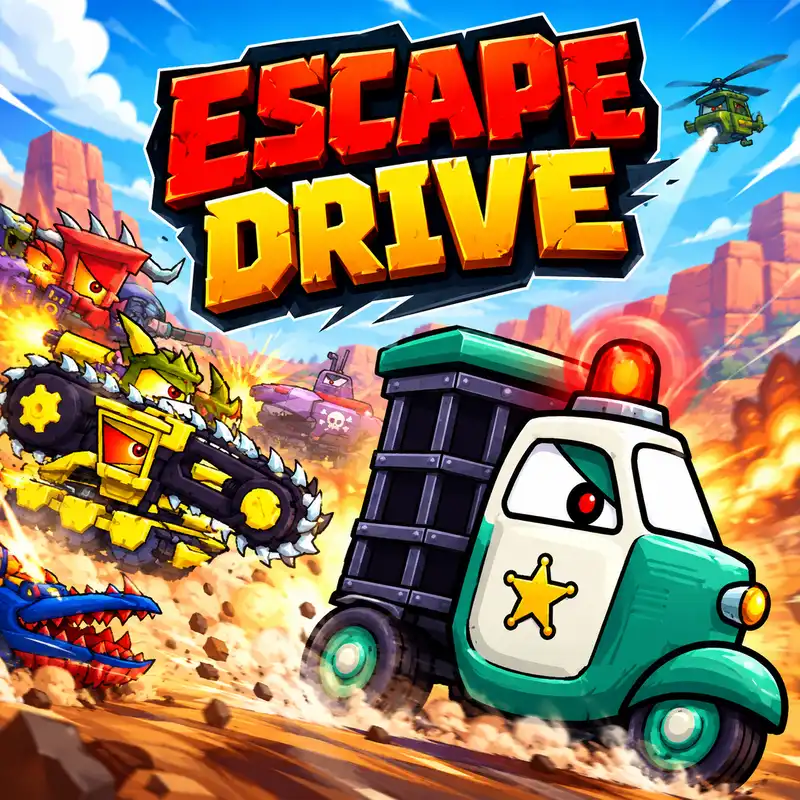
That's not a metaphor. In Escape Drive the vehicles are cartoon creatures with fang-shaped grilles, and biting an enemy car is a genuine attack — one of three ways to deal with the pursuers trying to shove you off a cliff.
The other two are bombs (K) and turbo (J), and almost nobody tables those keys.
There's also a progression hook that's better than it sounds: beat a boss and you unlock that boss as a car you can drive.
Here's the full guide.
What Is Escape Drive?
Escape Drive is a free survival racing game by Smokoko, part of the Car Eats Car family. It runs in your browser with no download.
You drive a cartoon car with giant teeth through hostile terrain — deserts, jungles, Western towns, Asian cities and beach fronts — while police cars, military vehicles, rival gangs and end bosses try to destroy you.
It isn't a race against a clock. It's a survival run. Reach the end of each level in one piece, and each level is harder than the last.
You start as the 'Gator' — a basic car that looks like an alligator. Everything better has to be earned.
Controls
Action | Key |
|---|---|
Tilt / balance | A / D or arrow keys |
Turbo boost | J |
Drop bomb | K |
Your car moves forward automatically. You don't manage a throttle in the usual sense — your job is stability and momentum, not acceleration.
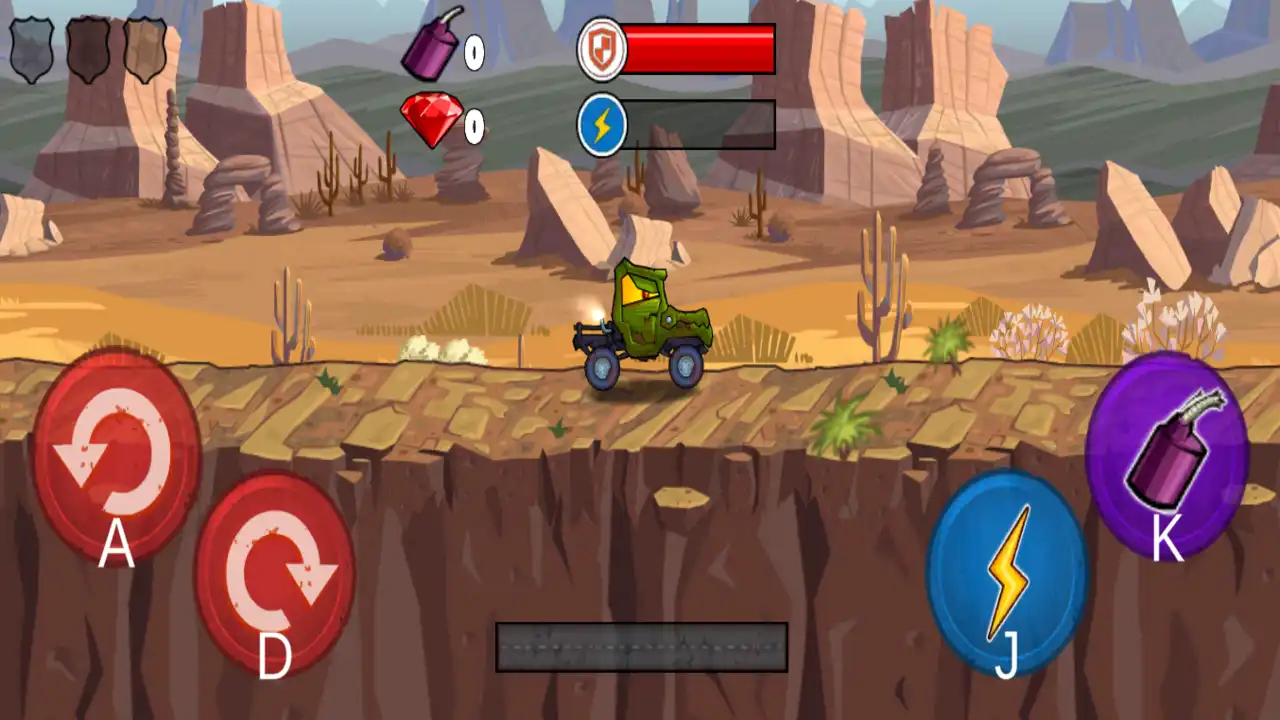
A and D tilt the car. On the ground that shifts your weight; in the air it sets your rotation and landing angle. Tilting back keeps you steady on climbs and stops you nose-diving off ramps.
J is turbo. K drops a bomb. Two keys, and both are easy to miss entirely if you're only reading the arrow keys.
Three Ways to Fight Back
Escape Drive gives you options that most chase games don't:
Outrun them. The simplest answer when the road ahead is clear.
Bite them. Your car's teeth are a weapon. Getting alongside or behind a pursuer and biting is a direct attack that costs you nothing but positioning.
Bomb them. K drops an explosive behind you. This is the best answer when something is right on your bumper.
And a fourth: make them crash. Enemy cars commit to lines just like you do. Leading them into spikes, saw blades or a pit does your work for you, and it's free.
When to use bombs
Right before a tight corner or a steep climb. Pursuers can't react cleanly in those spots, and one well-placed bomb can cause a pile-up that buys you the rest of the level.
Don't spam them on open straights — enemies have room to steer around, and you've wasted the drop.
Turbo: Save It for the Climbs
J gives you a burst of speed, and where you spend it matters.
Use turbo on steep climbs and long flat runs. Climbs are where momentum dies, and a boost gets you over the top instead of rolling backwards.
Don't burn it early. The instinct is to fire turbo the moment you have it. Hold it until a hill or a gap actually requires it.
Don't turbo into a bad landing. Extra speed off a ramp means more rotation and a harder landing — exactly what you don't want on a track full of pits.
Bosses Become Your Cars
This is the progression system, and it's the reason to keep playing.
Each stage has a boss. Defeat it, and you unlock that boss as a playable car.
That turns every boss fight into a double reward — you clear the stage and you get the machine that was just beating you. It also means the tougher a boss felt, the better the car you're about to own.
Practical note: when you unlock a new vehicle, take a level to learn it. Each car handles differently, and a stronger car you can't balance is worse than a weaker one you know.
Gems and the Garage
Red gems are the currency. You collect them during runs, and they don't do anything immediately — you spend them in the workshop between levels.
Three upgrades:
Upgrade | What it does |
|---|---|
Armour | How many hits you survive |
Speed | Raw pace |
Turbo power | Boost strength and duration |
Buy armour first — here's why
This is the most useful strategic advice for the game, and the reasoning matters:
The tracks are chaotic. Traps, saws, spikes, explosives and constant enemy attacks mean you will take hits whether you drive well or not.
Stronger armour lets you withstand more of them — which means more time on the track, which means more gems collected.
More gems means faster upgrades to everything else. Armour compounds. Speed doesn't help if you're wrecked halfway through the level.
It also changes how you can play: with decent armour you can focus on precision driving instead of constantly dodging, which is a much less stressful way to learn a track.
Order: armour → turbo power → speed.
Don't Skip the Free Wheel Spin
Before every level you can spin a wheel for free boosters.
It costs nothing. Spin it every single time. You'll also find boosters scattered on the road during runs — shields and turbos are the common ones, and both are worth a small detour.
Rescue Your Trapped Friends
There's a side objective that's easy to overlook: trapped friends can be rescued during levels.
It's worth doing. Side objectives like this are how you build up resources without having to beat harder stages first.
The Hazards
The tracks are built to kill you, and each hazard needs a different response:
Circular saws and spikes — these are placement problems. Learn where they are and route around them.
Pits and wide gaps — you need speed and the right launch angle. Build momentum before them, not at the edge.
Explosive barrels — avoid, or lure an enemy into them.
Ramps and bridges — set your tilt in the air. Landing nose-first is the most common wipeout.
Steep hills — this is what turbo is for.
Tips That Actually Help
Tilt back on climbs. It keeps the car steady and stops you flipping.
Bomb before corners, not on straights.
Save turbo for hills and gaps.
Bite pursuers when they're alongside — it's free damage.
Lead enemies into hazards. The track does more damage than you can.
Buy armour first. Survival buys gem-collection time, and gems buy everything else.
Spin the free wheel every level. No reason not to.
Learn each new car before you rely on it.
Common Problems
My car flips on every hill. Tilt back (A or left arrow) to keep it steady on climbs.
I land nose-first and explode. Set your angle in the air before you touch down — you have the whole jump to do it.
Enemies keep ramming me off cliffs. Drop a bomb (K) when they're behind you, or bite them when they pull alongside.
I run out of momentum on steep sections. That's what turbo (J) is for. Stop spending it on flat ground.
I die too early to collect anything. Upgrade armour. More hits survived means more track time means more gems.
A new car feels worse than my old one. Every vehicle handles differently. Give it a level before judging it.
I keep hitting saw blades. They're fixed obstacles, not random. Learn where they sit and route around them.
Frequently asked questions
Is Escape Drive free?
Yes — free in your browser, no download needed.
Who made it?
Smokoko, as part of the Car Eats Car series.
What are the controls?
A/D or arrow keys to tilt and balance, J for turbo, K to drop bombs. The car accelerates automatically.
Can I attack enemies?
Yes — three ways. Bite them with your car's teeth, drop bombs, or lead them into track hazards.
What's my first car?
The 'Gator', an alligator-styled starter vehicle.
How do I unlock new cars?
Defeat stage bosses. Beating a boss unlocks it as a playable vehicle.
What are the red gems for?
They're the currency. Spend them in the garage on armour, speed and turbo power.
What should I upgrade first?
Armour. Surviving more hits gives you more time to collect gems, which pays for everything else.
Is there a free reward before levels?
Yes — spin the wheel before each level for free boosters. There's no cost, so always take it.