Two things about ATV Ultimate Offroad that most players never find out:
R resets your ATV without restarting the race. Flipped onto your roof halfway up a muddy climb? One tap and you're upright and still in it. Plenty of people quit and reload the whole page instead.
You can earn money on the free drive map, not just in races. If races are beating you, the open map is a pressure-free income route to a better ATV.
Here's the full guide: every control for both players, both modes, and where the unlocks come from.
What Is ATV Ultimate Offroad?
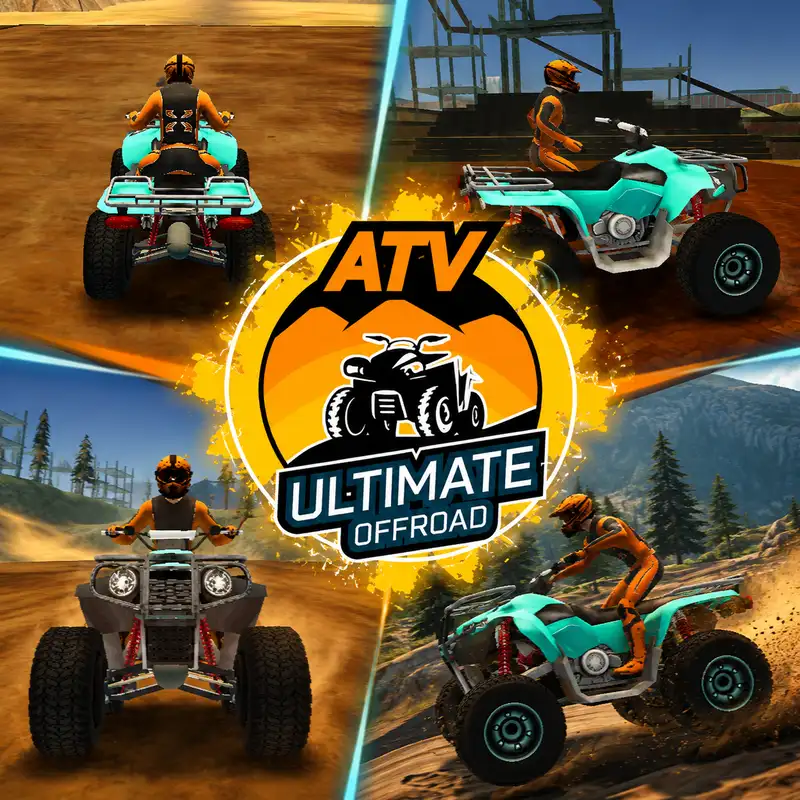
ATV Ultimate Offroad is a free 3D quad bike simulator by RHM Interactive, released in July 2023. It's built on WebGL and runs in your browser with no download.
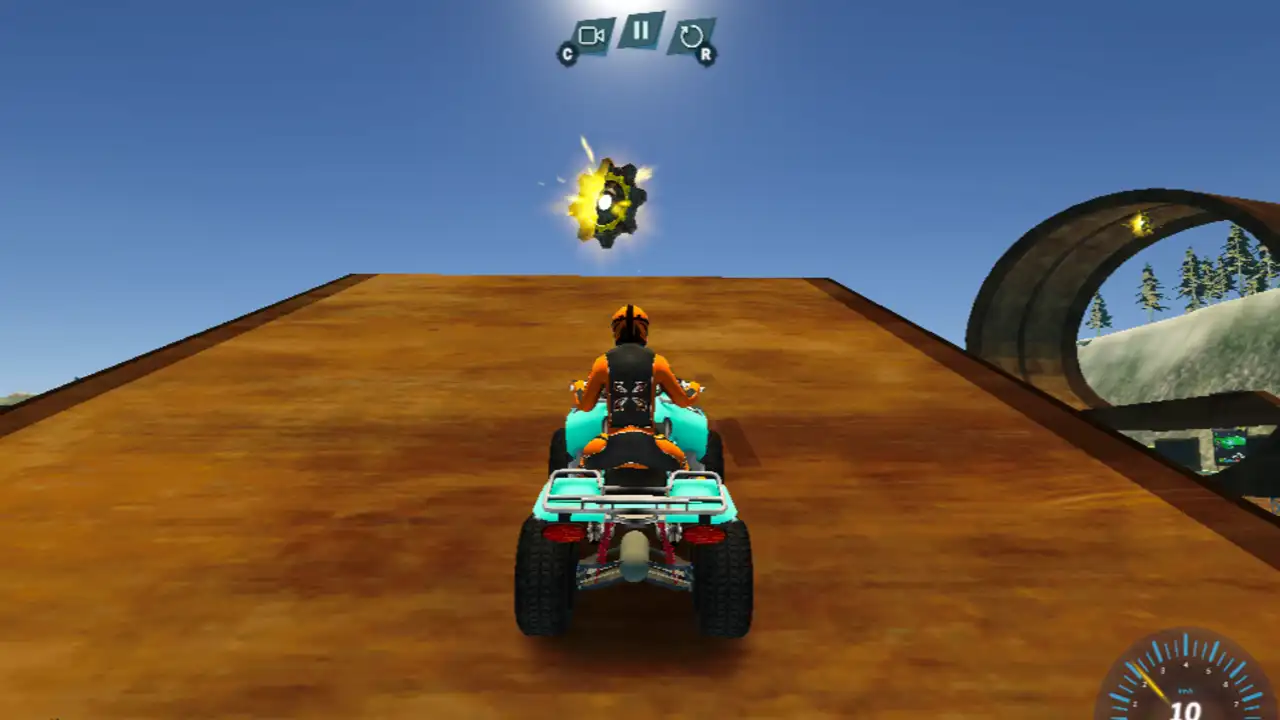
You ride all-terrain vehicles across rugged offroad environments — muddy trails, steep hills, ramps and obstacle-strewn maps. There are two ways to play: structured races, or a huge free driving map where you go wherever you like.
Both modes support local 2-player on a single keyboard, which is the standout feature.
One important note: this is a desktop game. It needs a keyboard, and mobile support isn't properly implemented. Some listings claim it runs on phones — performance there varies a lot.
Controls
Player 1
Action | Key |
Move / steer | WASD or arrow keys |
Nitro | Left Shift |
Change camera | C |
Restart position | R |
Player 2
Action | Key |
Move / steer | Arrow keys |
Nitro | M |
Change camera | K |
Restart position | P |
In 2-player, Player 1 is on WASD and Player 2 takes the arrow keys.
R is the key that matters most
Offroad riding means flipping. Steep banks, unexpected rocks, bad landings off ramps — your quad is going to end up on its side regularly.
R puts you back upright, in position, without restarting anything. Your race continues, your progress stands, and you've lost a couple of seconds instead of the whole run.
In 2-player it's R for Player 1 and P for Player 2, so you can each recover independently without ruining the other's race.
C changes your camera. Cycle it early — a wider view is far more useful on unfamiliar offroad terrain where you need to read the ground ahead.
The Two Modes
Race Mode — Competitive races across offroad tracks. Collect speed boosts along the route and avoid obstacles to stay ahead. Playable solo or 2-player.
Free Drive — A large open map with no timer, no opponents and no objectives. Explore ramps, hills and trails at your own pace.
Both pay out. That's the detail worth knowing.
Unlocking ATVs
There are several ATVs in the game, and they're unlocked by earning money and gears.
You earn both from races AND from the free drive map.
That second part is the useful one. Most players assume races are the only income and grind them repeatedly. But free drive is a genuine earning route — no opponents to beat, no clock to fight, no way to lose. If a race keeps beating you, switching to the open map for a while is real progress rather than a break from it.
A sensible approach: run races while you're winning them comfortably, and switch to free drive to top up when the difficulty steps up. Come back with a better ATV rather than grinding the same race twenty times.
Riding Technique
Offroad handling is different from tarmac racing, and the instincts that work on a road track will put you on your roof here.
Ease off before slopes and banks. Hitting a steep incline at full speed lifts your front end and flips you backwards. Approach steadily, then power through once the quad is settled.
Land wheels-level. Ramps are everywhere. Coming down nose-first or on one side is the most common wipeout — adjust your angle in the air rather than hoping.
Don't use nitro on rough ground. Left Shift gives you a hard shove of speed, which is great on flat open stretches and terrible when you're picking a line through rocks and ruts. Save it for the clear sections.
Take mud slowly. Loose and wet surfaces cut your grip. Steady throttle keeps the wheels driving; sudden power just spins them.
Look at the terrain ahead, not your quad. Offroad ground changes fast. If you're watching your own vehicle, you'll spot a drop or a rut with no time to adjust.
Use free drive to learn the maps. No consequences, no timer — it's the cheapest way to find where the good lines are before you race them.
Racing Tips
Grab the speed boosts. They're placed along the route and they're free time. Just don't detour so far off the racing line that the boost costs more than it gives.
Nitro on straights only. Same rule as the general riding advice, but it matters more when there's a position at stake.
Press R instead of quitting. A recovered race is still a race you can win, and rivals make mistakes too.
Learn one track properly. Knowing where the jumps, ruts and tight sections are on a single course is worth more than being average across all of them.
Playing 2-Player
The split-screen mode is the best thing here, and it's worth setting up properly.
Player 1: WASD, Left Shift, C, R. Player 2: Arrow keys, M, K, P.
Two practical notes:
· Use a full-size keyboard if you can. WASD and the arrow keys sit close together on a laptop, and two people end up bumping hands.
· Agree the keys before you start. Player 2's nitro on M and restart on P take a moment to get used to, and fumbling for the restart key mid-race decides a lot of matches.
Common Problems
My quad is stuck on its side. Press R (or P if you're Player 2). It resets your position without restarting the race.
Nitro isn't firing. It's Left Shift for Player 1 and M for Player 2.
I flip going up hills. Too much throttle on the approach. Ease off before the slope, then power through once you're settled.
I keep landing badly off ramps. Adjust your angle in the air before you touch down, and aim to land level.
My wheels spin in mud without moving. Ease off the throttle. Sudden power on loose ground just breaks traction.
I can't afford a better ATV. Free drive earns money too. Switch to the open map and build up there instead of grinding races.
It doesn't work properly on my phone. It's a desktop game — you need a keyboard.
Player 1's arrow keys stopped working. In 2-player, the arrow keys belong to Player 2. Player 1 uses WASD.
Keyboard doesn't respond. Click once directly on the game window first. Browser games need focus before they register keystrokes.
Frequently asked questions
Is ATV Ultimate Offroad free?
Yes — free in your browser, no download and no account needed.
Who made it, and when?
RHM Interactive, released in July 2023.
What are the controls?
Player 1: WASD or arrow keys to move, Left Shift for nitro, C for camera, R to restart position. Player 2: arrow keys to move, M for nitro, K for camera, P to restart position.
How do I flip my ATV back over?
Press R (Player 1) or P (Player 2). It resets your position mid-race.
What modes are there?
Race mode and a large free drive map, both playable in 1-player or 2-player.
How do I unlock new ATVs
By earning money and gears — from races and from the free drive map.
Is there online multiplayer?
No. Two-player is local, on the same keyboard.